
The real negotiated codec
Subscribes to the Windows Bluetooth A2DP ETW provider and reads the codec ID from the actual A2dpStreaming negotiation event — not a capability guess.
Bluetooth Audio Codec reads the real codec negotiated between Windows and your headset — not just what the device claims to support. SBC, AAC, aptX HD, LDAC, LHDC and more, captured straight from the Bluetooth A2DP trace.
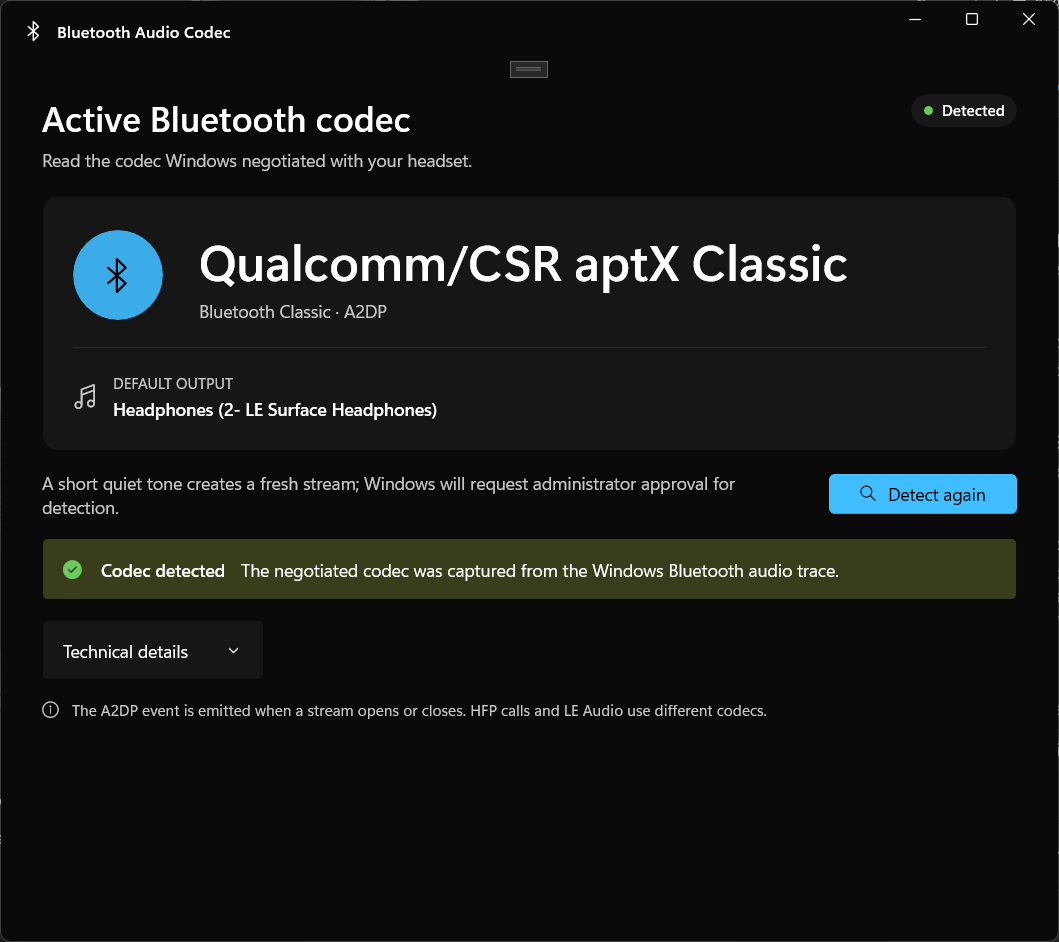
Device settings pages only list what a headset could support. This app reads the codec from the live Bluetooth audio stream event itself.
Subscribes to the Windows Bluetooth A2DP ETW provider and reads the codec ID from the actual A2dpStreaming negotiation event — not a capability guess.
Resolves SBC, AAC, aptX Classic, aptX HD, aptX Low Latency, FastStream, Sony LDAC, Samsung Scalable, Savitech LHDC and more. Unknown values show their raw IDs.
A modern Windows 11 desktop app with a Mica backdrop, accent result card, and full light & dark theme support that follows your system.
Read-only. It plays one short quiet tone to start a stream, listens to the trace, and stops. No Bluetooth pairing, codec, or audio setting is ever changed.
The UI runs at normal integrity. Only a hidden, short-lived helper elevates to read the ETW trace, over a named pipe authenticated with a 256-bit token.
English, 简体中文, 繁體中文, Deutsch, Español, Français, Italiano, 日本語, and Português (Brasil) — shipped in every build.
A prominent codec result card, a compact status badge, and collapsible technical details — usable at 680 × 600 and beyond.
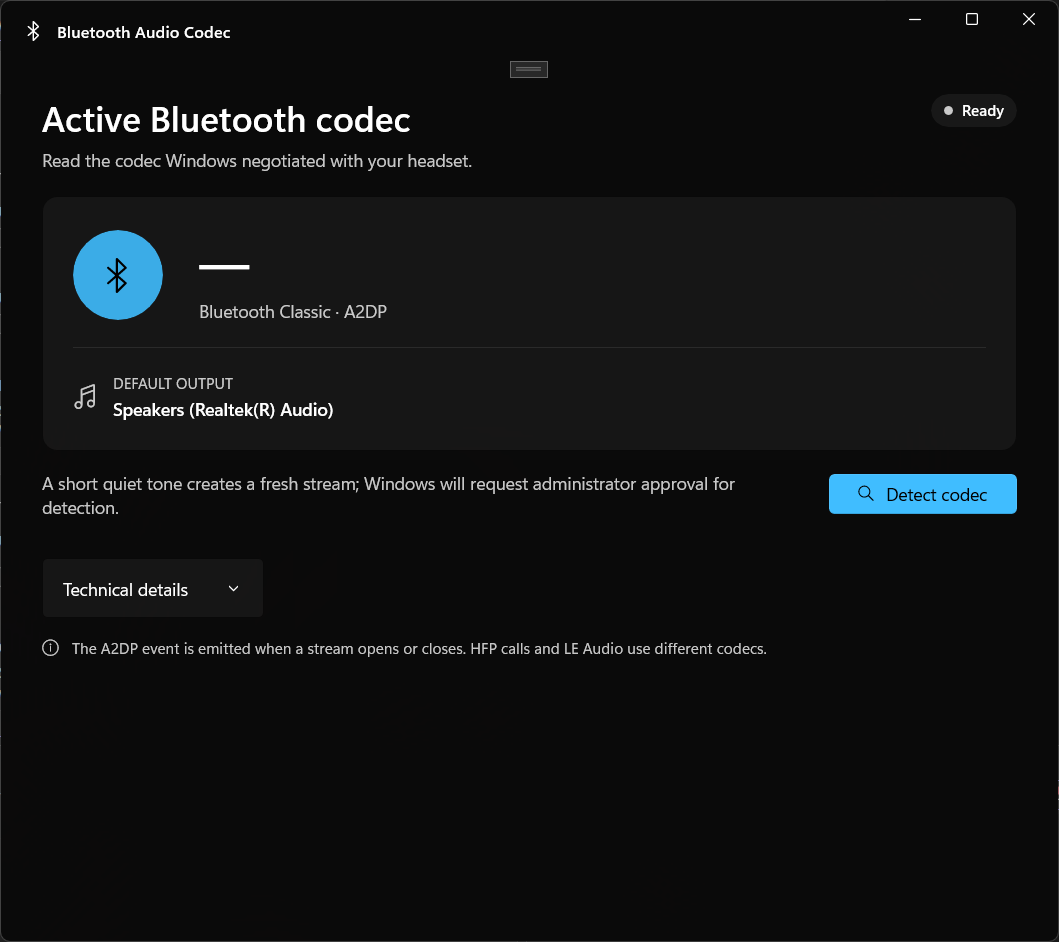
The app opens at normal permission and shows your current default output.
The negotiated codec, protocol, device, and raw IDs — captured from the A2DP trace.
Windows only exposes the Bluetooth codec trace to elevated processes. The app keeps the UI normal and elevates only the trace reader.
It launches without a UAC prompt and shows your current default audio output device.
Windows asks for administrator approval just for the trace — the UI itself is never restarted or elevated.
A short 660 Hz tone tells Windows to open a fresh A2DP stream, which emits the A2dpStreaming event.
The helper reads the codec IDs from the event, resolves the name, and returns the result over an authenticated pipe.
Standard A2DP codecs and known vendor tuples are resolved to a friendly name. Anything unknown is returned with its raw IDs instead of being guessed.
vendor 0x0000004F, codec 0x0001) so nothing is ever silently mislabeled. Offline MSI installers with no downloader or bundled extras. Self-contained — no runtime to install separately.
A single-file .NET 10 console version is also included in the repository. Run it from an elevated PowerShell and get the same codec result - with --json, --watch, and --no-tone options.
Detection runs entirely on your device. Nothing is recorded, uploaded, or left running.
Windows only exposes the Bluetooth A2DP codec trace (ETW) to elevated processes. The app's UI runs normally; only a hidden helper elevates briefly to read the trace, then exits. Canceling the UAC prompt is non-destructive.
Windows didn't open or close an A2DP stream during the 30-second window. Stop all playback first, then click Detect again — the quiet tone opens a fresh stream. If your headset microphone is in use, Windows may have switched to HFP, which uses different codecs.
No. LE Audio uses the LC3 codec over a different protocol stack and is not reported by the A2DP provider. The app detects this case and tells you LE Audio isn't supported through A2DP tracing.
Hands-Free Profile (HFP) uses CVSD or mSBC for voice, not A2DP music codecs. The A2DP event only fires for music streaming. The footer in the app explains this distinction.
Never. The app is strictly read-only. It plays one short quiet tone to start a stream and listens to the trace. No pairing, codec selection, or default device is modified.
Yes. The app is free, and the full source — including the WinUI 3 desktop app and the single-file command-line version — is in the repository.
Find troubleshooting steps, open a GitHub issue, or email the developer.